

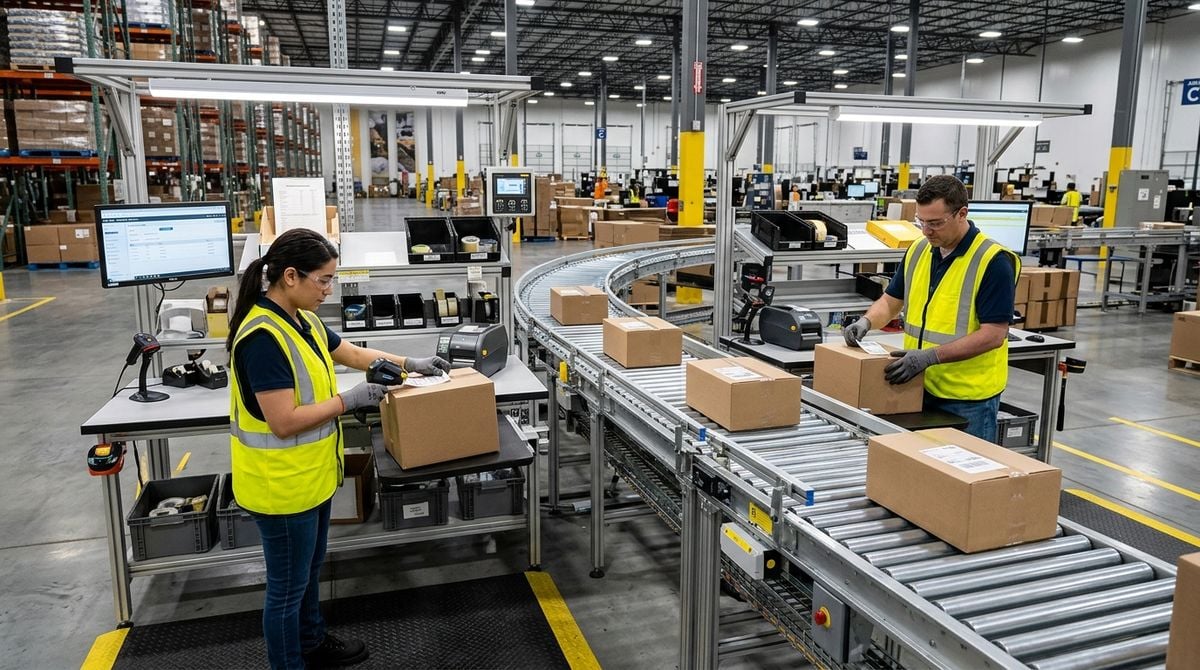
Setting Up Dedicated Handhelds for Outbound Order Desks
Running a small fulfillment bench or shipping station requires speed, focus, and repeatable physical routines. When outgoing packages accumulate during peak dispatch hours, small business teams cannot afford disruptions caused by misplaced notes, mismatched packing slips, or personal phone notifications. While large fulfillment centers deploy expensive, enterprise-level inventory hardware, smaller operations often find practical success by configuring dedicated consumer handheld devices at each packing station.
Assigning a handheld device exclusively to outbound order verification creates an efficient bridge between physical inventory and digital records. Unlike personal smartphones, a dedicated station tool remains anchored to the packing table, runs only essential fulfillment software, and transfers smoothly between team members across changing shifts. Establishing this setup does not require complex infrastructure, but it does demand deliberate system setup, physical discipline, and straightforward operating guidelines.
Defining the Role of Dedicated Station Devices
Before adjusting any hardware, define precisely what the device should accomplish during order preparation. In an active shipping space, a handheld tool typically performs several core tasks: verifying item barcodes against order sheets, capturing tracking references, and confirming that a parcel has officially left the packing table. Attempting to overload the unit with administrative email, messaging channels, or supplier portals weakens its utility and invites unwanted friction during busy packing cycles.
A dedicated device should function as an appliance rather than a general-purpose computer. When a staff member picks up the unit, the screen should immediately display the active picking list or scanning portal without requiring navigation through personal folders or alerts. By narrowing the scope of the device, you eliminate distractions, protect customer privacy, and ensure that anyone stepping up to the packing table can operate the terminal with minimal orientation.
Hardware selection for this specific workflow can remain modest. Repurposed handheld units, secondary mobile handsets, or compact tablets often deliver ample computing power for web-based warehouse portals and scanning applications. The goal is consistent responsiveness and physical durability rather than top-tier processing speeds, making secondary hardware an ideal candidate for outbound verification desks.
Streamlining the Operating Environment for Daily Tasks
Standard mobile operating systems arrive crowded with consumer utilities, auto-playing notifications, and preinstalled apps that have no place in a fulfillment setting. Taking time to strip away non-essential software prevents accidental taps, reduces background battery drain, and keeps the device responsive throughout long packaging sessions. Disabling automatic operating system updates during working hours is equally vital, as sudden restarts disrupt urgent courier deadlines.
For businesses adapting consumer mobile platforms into focused dispatch terminals, mastering system customization settings makes a substantial difference. When stripping down an operating system to serve a single operational role, consulting focused configuration tutorials on AndroMods.com can clarify how to restrict background processes, remove bloatware, and customize basic interface behaviors safely. These practical adjustments ensure that the terminal remains locked to fulfillment functions without allowing extraneous system prompts to interrupt active scanning workflows.
Applying a single-app pinning mode or a dedicated launcher creates an extra layer of consistency. When the terminal is pinned to your fulfillment software, packing staff cannot accidentally swipe into unrelated menus or alter network configurations. A clear, locked interface reassures operators that their sole objective is verifying items and completing outgoing manifests accurately.
Integrating Peripheral Hardware at the Packing Station
A handheld terminal is only as useful as its supporting accessories. Relying solely on a touchscreen keyboard or a slow camera scanner to read barcodes can quickly fatigue warehouse hands and slow down dispatch throughput. Pairing the handheld with a compact wireless barcode reader or a wired scanning cradle drastically speeds up carton intake, allowing packers to scan items without shifting their physical grip.
Selecting compatible companion hardware requires understanding how different wireless peripherals, cable adapters, and scanner protocols interact with mobile operating systems. For teams looking to evaluate companion utilities, peripheral drivers, and everyday digital accessories, exploring tech guides on technodetails.com offers practical insight into emerging gadget tools and dependable utility software suited for workplace tasks. Choosing dependable accessories ensures that your handheld connects smoothly to label printers and barcode readers without daily pairing dropouts.
Physical placement at the packing bench also deserves attention. A weighted desk mount, a flexible holder, or a magnetic dock keeps the screen at eye level while leaving both hands free to fold cartons, apply tape, and insert protective packaging. When the device has an assigned resting spot, it is far less likely to be buried under packing paper, dropped onto concrete floors, or carried away from the dispatch bench.
Establishing a Daily Care and Handoff Routine
Technical configuration accounts for only half of a reliable packing station; physical operating habits sustain it. Small dispatch teams often run into trouble when devices are left uncharged overnight, placed near wet tape dispensers, or misplaced during breaks. Establishing a clear checklist prevents these minor oversights from snowballing into delayed shipments.
- Clean the screen and optical scanner lenses with a dry microfiber cloth before morning packing begins.
- Confirm that the device is connected to the primary warehouse wireless network and that power cables remain secure.
- Synchronize the local scanning application cache so that all pending order manifests reflect current inventory status.
- Return the handheld directly to its dedicated charging cradle at the conclusion of every packing shift.
Documenting these simple physical steps on a laminated card attached to the packing bench reinforces good operating habits. When every team member understands who handles basic hardware upkeep and where the unit belongs, the packing desk remains orderly, predictable, and ready for sudden influxes of outgoing orders.
Verifying Outbound Shipments and Maintaining Records
The primary operational objective of a dedicated handheld is establishing an indisputable record of what was packed, when it was sealed, and which carrier accepted custody. When a customer inquires about missing items or a carrier disputes a package handover, having immediate digital confirmation from the station handheld resolves questions before they escalate into costly claims or lost goodwill.
Accurate dispatch records connect modern digital scans with the broader history of physical parcel tracking. Building disciplined habits around outbound mail verification mirrors traditional shipping diligence, much like our earlier advice on reading the small clues in postal cancellations to identify courier movements and track document journeys. Whether examining a printed transit mark on an envelope or reviewing an electronic timestamp generated by a station scanner, attentive record-keeping protects your business against transit disputes.
Cross-checking carton weight notes against digital line items provides an additional safeguard against shipping errors. Before printing a final shipping label, the operator can glance at the handheld screen to verify that the parcel contains all required accessories and documentation. This brief digital pause catches packing mistakes at the table, eliminating the far greater expense of handling return shipping later.
Building Long-Term Reliability into Your Packing Desk
Maintaining station handhelds over months of daily use requires consistent preventive attention rather than reactive fixes. Dust from corrugated cardboard boxes, adhesive residue from packing tape, and vibrations from bench work gradually take a toll on electronic components. Inspecting cables, wiping down ports, and checking battery health on a regular schedule keeps hardware dependable without demanding major capital expenditure.
Ultimately, a successful dispatch desk relies on clear boundaries and focused tools. By dedicating a straightforward, uncluttered handheld strictly to outbound packing workflows, small businesses protect their staff from unnecessary digital distractions while creating reliable records for every parcel that leaves the building. With proper physical care, sensible system adjustments, and consistent handoff routines, a simple station handheld becomes an indispensable anchor for daily shipping operations.